

AxelaNote: A Smarter Way to Annotate PDFs
- September 21, 2026
- 0
A PDF is supposed to make documents easier to share, preserve, and read. Yet anyone who regularly works with drawings, forms, reports, manuscripts, or scanned paperwork knows that
A PDF is supposed to make documents easier to share, preserve, and read. Yet anyone who regularly works with drawings, forms, reports, manuscripts, or scanned paperwork knows that
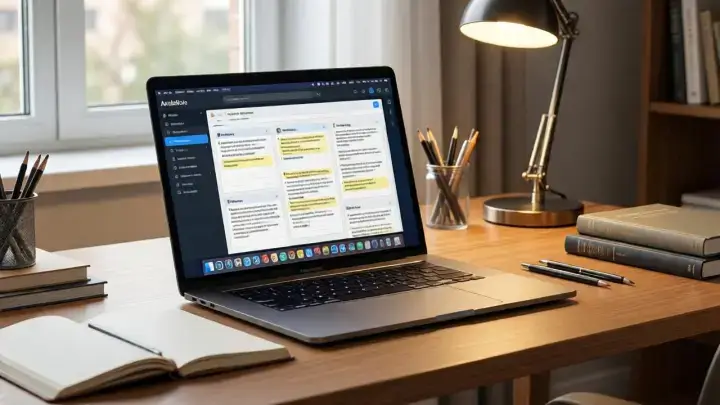
A PDF is supposed to make documents easier to share, preserve, and read. Yet anyone who regularly works with drawings, forms, reports, manuscripts, or scanned paperwork knows that the format can become surprisingly restrictive when it is time to actually work on the document.
You may want to circle something, write a quick note in the margin, draw an arrow toward an important section, add a handwritten correction, or mark a page for someone else to review. On paper, these actions require almost no thought. Digitally, they can involve a completely different set of tools and restrictions.
This is where AxelaNote enters the picture.
AxelaNote is a Windows-based PDF annotation application built around a relatively simple idea: instead of changing the original document every time you want to write on it, you can place your notes and markings on a separate layer above the document. The approach makes AxelaNote particularly interesting for people who work with fixed-layout files and need to review them without turning the original into something else.
That distinction gives the software a purpose beyond ordinary note-taking. AxelaNote is less about creating notes from an empty page and more about interacting with information that already exists.
For someone reviewing a technical drawing, marking a form, checking a manuscript, studying a PDF, or adding comments to a document, that difference can make the digital experience feel much closer to working with paper.
| Fact | Details |
|---|---|
| Product Name | AxelaNote |
| Product Type | PDF annotation and document-writing software |
| Primary Platform | Windows |
| Main Function | Adding notes, writing, markings, and other annotations to digital documents |
| Developer | TransRecog |
| Core Concept | Working with annotations on a separate layer over the original document |
| Main Document Type | |
| Other Supported Material | Images and scanned documents |
| Input Methods | Keyboard, mouse, pen, and touch |
| Common Uses | Document review, drawing markup, proofreading, forms, education, inspections, and administrative work |
| Notable Characteristic | The original document can remain separate from added annotations |
| Suitable For | Individuals, professional teams, educational users, and organizations handling document-heavy workflows |
| Current Focus | Digital document annotation and paperless review workflows |
At its simplest, AxelaNote is software for writing on digital documents.
That description, however, does not quite capture why the application exists.
Many PDF programs already provide tools for highlighting text, adding comments, drawing shapes, or placing annotations. AxelaNote approaches the process from the perspective of preserving the original document while allowing another layer of information to sit above it.
Think of a transparent sheet placed over a printed page.
The printed page remains exactly where it was. On the transparent sheet, you can draw a circle, write a note, add an arrow, underline something, or make a correction. When the sheet is removed, the original page is still there.
AxelaNote takes that familiar physical concept and turns it into a digital workflow.
This can be particularly useful when the original PDF is something that should not be permanently changed. A drawing may have been supplied for review. A form may have a fixed design. A scanned document may not contain editable text. A report may need comments before another person makes the actual changes.
Instead of forcing the reviewer to modify the source, the software creates a space for the review itself.
That makes AxelaNote fundamentally different from a conventional writing application. Its starting point is not a blank canvas. Its starting point is an existing document.
The idea of separating the original file from the user’s notes may sound like a small technical detail, but it can affect the entire workflow.
Consider a construction drawing.
One person creates the drawing, another reviews it, and a third person may eventually make the requested changes. If the reviewer directly alters the source document, it becomes harder to distinguish the original information from the reviewer’s additions.
With a separate annotation layer, the original drawing can remain intact while the reviewer’s marks sit above it.
The same principle applies to a manuscript.
An editor might want to highlight a sentence, write a correction, suggest a change, or leave a question for the author. The manuscript itself does not necessarily need to be rewritten at that stage.
A teacher working with an assignment can follow a similar process. The student’s original work remains visible while comments and corrections are added around it.
This separation can also make discussions easier. Instead of sending someone a heavily altered document and asking them to figure out which parts were changed, the reviewer can preserve the source and communicate through annotations.
It is a simple concept, but it reflects the way people have been working with paper documents for generations.
The most interesting aspect of AxelaNote is not a single feature. It is the variety of situations in which the same basic concept can be useful.
A document does not always need to be edited.
Sometimes it simply needs to be marked.
That distinction is important.
Imagine receiving a lengthy PDF containing a set of drawings. You are not responsible for redesigning those drawings. Your task is to identify problems and communicate them to the person who created them.
Opening an ordinary document editor may feel excessive. Printing the entire file creates a stack of paper. Using a mouse to leave tiny comments can be frustrating.
A pen-enabled computer combined with an annotation tool creates another possibility.
You can open the document, write directly over it, circle relevant areas, add numbers, connect one section to another, and continue moving through the pages without changing the source material.
The same idea works for maps.
A team may need to indicate locations, routes, problem areas, measurements, or points of interest. Instead of creating an entirely new document, the original map can serve as the background while annotations communicate the additional information.
Forms present another example.
A fixed form may not need to be redesigned simply because someone needs to add a handwritten instruction or mark a particular field. Annotation can provide that extra layer of information without rebuilding the original layout.
For more technology and digital-workflow topics, readers can also explore the broader range of digital tools and applications featured on World Magazine.
One of the challenges of digital paperwork is that not every PDF behaves like a normal text document.
A scanned PDF may essentially be a collection of page images. You can see the words, but they may not behave like editable text.
That creates problems for people who expect every PDF to work like a Word document.
AxelaNote’s annotation-oriented approach is useful here because writing does not necessarily depend on the underlying text being editable.
The reviewer can work over the visible page.
This is particularly relevant for older paperwork, scanned forms, archived material, handwritten documents, diagrams, certificates, and other files that may have been converted from physical pages into digital images.
Instead of trying to reconstruct the document into an editable format, the user can simply add information on top.
That can save time in situations where editing the original would not even be desirable.
There is also a practical advantage in preserving the visual appearance of the original. If a scanned document has a particular layout, signature, stamp, diagram, or handwritten section, recreating it in another application can introduce unnecessary changes.
Annotation leaves the original visual context in place.
Typing is efficient, but it is not always the best way to review visual material.
When people work with drawings or documents containing complex layouts, handwriting can sometimes communicate an idea faster than a typed comment.
A quick circle around a problem area can take seconds.
An arrow can show exactly what a comment refers to.
A handwritten number can connect multiple locations on a page.
A short word beside a drawing can communicate an instruction without interrupting the visual flow.
AxelaNote is designed to support this type of interaction through pen and touch input alongside traditional keyboard and mouse controls.
That makes the application especially relevant for users who work on pen-enabled computers or touchscreen devices.
The appeal is not necessarily that handwriting is better than typing.
It is that different forms of information require different forms of communication.
A long explanation may belong in typed text. A visual correction may be easier to express with a line or arrow. A quick reminder might be most natural as handwriting.
The ability to combine these approaches on the same document gives annotation software its practical value.
Among the most natural environments for AxelaNote are industries where people spend large amounts of time looking at drawings.
Construction documents are visually dense. A single page can contain measurements, labels, symbols, structural information, room layouts, technical details, and numerous other elements.
When such a document needs to be reviewed, simply adding a paragraph of comments somewhere else may not be enough.
The reviewer needs to show where the comment belongs.
That is why visual annotation can be so useful.
A reviewer can circle an area, draw an arrow, number several points, add handwritten notes, or identify a particular part of a drawing without changing the underlying plan.
This also makes conversations easier.
Instead of saying, “There is an issue with the area near the left side of the second floor,” a reviewer can mark the exact location.
That sounds obvious, but in technical workflows, reducing ambiguity can save considerable time.
AxelaNote has also been developed with specialized functions aimed at drawing-related work, making its potential role broader than simple handwriting.
For professionals who spend their day reviewing plans, drawings, maps, inspection documents, or similar files, the application’s central philosophy makes considerable sense.
Editors and proofreaders have another obvious use for annotation software.
A manuscript may pass through several stages before publication. During one stage, the reviewer may not want to rewrite the entire document. Instead, they may want to indicate what should be changed.
Traditional proofreading often relies heavily on marks, symbols, handwritten notes, and visual indicators.
Digital workflows can lose some of that simplicity.
AxelaNote offers a way to maintain the document’s original appearance while adding review information over it.
A reviewer can identify a phrase, circle a section, write a suggestion, or leave a comment without transforming the underlying document into a completely different file.
That can be especially useful when multiple people are involved in the review process.
The author can see the original material and the reviewer’s additions together.
The goal is not to replace a full document-editing system. It is to make the review stage more flexible.
This distinction is worth remembering because AxelaNote’s strength is often found in the stage between reading and editing.
Students and teachers can also benefit from the same approach.
A digital textbook, lecture handout, research paper, worksheet, or assignment can contain information that students need to mark and revisit.
A student might highlight a definition, draw a connection between two sections, add a handwritten reminder, or place a question beside a paragraph.
Teachers can use annotations for corrections and comments.
The advantage of digital annotation is obvious: there is no need to print every page simply to make a few notes.
But the more interesting benefit is that the original material remains recognizable.
A student can open the same document later and see the additional layer of personal notes.
For people who naturally prefer handwriting, this can be more comfortable than forcing every thought into a keyboard-based note system.
It also makes annotation useful for subjects where visual material plays a major role.
Maps, diagrams, mathematical layouts, scientific figures, architectural drawings, and technical illustrations do not always translate neatly into a traditional notes page.
Writing directly over the source can be much more intuitive.
Office work often involves documents that are not supposed to be redesigned.
A company may have standardized forms. An organization may receive reports in a fixed format. A department may need to review paperwork created by another team.
In such situations, the goal is often to add information rather than edit the source.
This is another area where AxelaNote’s layered concept becomes practical.
Suppose an employee receives a PDF form and needs to identify several issues before sending it back to another department.
Instead of printing it, marking it with a pen, scanning it again, and emailing the scanned copy, a digital annotation workflow can keep the process on the computer.
The document remains visible in its original form.
The comments exist alongside it.
The result can be easier to store, send, review, and revisit.
This is the kind of workflow where a seemingly simple annotation feature can have a larger operational effect.
The words “annotation” and “editing” are sometimes used interchangeably, but they describe different activities.
Editing changes the document.
Annotation comments on the document.
That difference becomes clearer with an example.
Suppose a report contains an incorrect sentence.
An editor working on the final version might directly change the sentence.
A reviewer working earlier in the process might instead circle the sentence and write, “Please verify this section.”
Both actions are useful, but they belong to different stages of the workflow.
AxelaNote is particularly relevant to the second situation.
It gives the reviewer room to communicate without necessarily taking ownership of the original content.
This can be valuable when several people contribute to a project and responsibility for final changes belongs to someone else.
The annotation layer becomes a communication channel.
It says, in effect, “This is what I saw, and this is what I want you to consider.”
That can be more appropriate than silently changing the source.
The word “Note” in the name could create the wrong impression.
AxelaNote is not primarily a blank-page note-taking application.
Its purpose revolves around existing documents.
A general note application usually begins with a page where the user creates information from scratch. It may offer notebooks, folders, checklists, reminders, synchronization, or other productivity features.
AxelaNote begins with a document.
The document is the center of the experience.
That makes the software more comparable to a digital markup environment than a traditional notebook.
The distinction matters when choosing a tool.
Someone who wants to maintain a personal collection of daily thoughts probably needs a different type of application.
Someone who spends hours reviewing PDFs and needs to write directly over them has a very different requirement.
AxelaNote is designed around the second situation.
The layered annotation concept is useful, but it does not make AxelaNote suitable for every document workflow.
The first limitation is platform compatibility.
AxelaNote is primarily designed for Windows, so users who rely entirely on macOS, iOS, Android, or other operating systems may not find it suitable for their everyday setup.
There is also a learning curve.
Although the basic concept is simple, professional document workflows can involve numerous tools, settings, annotation types, and output options. Someone who only needs occasional highlighting may find a simpler PDF reader sufficient.
The software is also specialized.
That is both its strength and its limitation.
If the primary task is building a large cloud-based personal knowledge base, managing calendars, chatting with colleagues, or creating general productivity notes, AxelaNote is not designed to replace those categories of applications.
Its value becomes clearer when the central problem is document annotation.
There is another consideration as well: annotations are not a substitute for understanding the original document.
A marked-up drawing is still a drawing. A commented report is still a report. A digital layer can improve communication, but it does not automatically resolve disagreements, errors, or technical questions.
The human review process remains important.
The idea behind AxelaNote fits into a much larger transition in the way people work.
For centuries, documents were physical objects.
People wrote in margins, attached sticky notes, drew diagrams, stamped pages, folded corners, and placed handwritten instructions alongside printed material.
Digital documents initially focused on preserving the appearance of those pages.
As computers became more central to everyday work, users gradually expected documents to become interactive.
Text could be edited.
Comments could be inserted.
Changes could be tracked.
Signatures could be added.
But handwriting remained a particularly difficult behavior to reproduce naturally.
Touchscreens and digital pens changed that.
Suddenly, a person could hold a pen and write on a screen in a way that felt much closer to paper.
AxelaNote belongs to this broader movement toward digital documents that preserve not just the appearance of paper but some of the interactions associated with it.
Its separate-layer concept is particularly interesting because it does not require the original document to become fully editable.
That can be exactly what a professional workflow needs.
The direction of the product raises an interesting question.
If annotations can be stored separately, categorized, exported, compared, and used alongside complex documents, the software can potentially become more than a digital pen.
It can become part of a document-review system.
That shift is already visible in the kinds of functions associated with specialized workflows.
Automatic numbering can help identify multiple points on a drawing.
Classification can organize different types of observations.
Export functions can move information outside the original document.
Comparison tools can help identify differences between versions.
These features all move the product away from simple markup and toward structured review.
The distinction could become increasingly important as organizations handle larger collections of digital documents.
The challenge will be maintaining simplicity while adding capability.
A powerful annotation application can become difficult to use if every workflow requires navigating through layers of complicated menus.
The appeal of AxelaNote’s basic concept is precisely its simplicity: open the document and write on it.
Any future expansion has to preserve that ease of interaction.
There is something psychologically different about writing directly on the thing you are reading.
When a person takes notes on a separate page, they have to remember where each note belongs.
When the note sits beside the relevant paragraph, drawing, or image, the relationship is immediate.
This is why people have written in book margins for so long.
The annotation does not merely contain information.
It contains context.
A circle tells you what matters.
An arrow tells you where to look.
A handwritten question tells you what was unclear at the moment of reading.
A short note beside a diagram can preserve an observation that might otherwise disappear.
AxelaNote’s design reflects this idea.
The document and the annotation remain visually connected without necessarily becoming technically identical.
That combination is arguably the most interesting thing about the software.
AxelaNote is better understood as a document annotation application. Although users can write notes, its main purpose is to add information to existing PDFs and other visual documents rather than create a general-purpose personal notebook.
Yes. Handwriting is an important part of the software’s intended workflow. Users can work with pen and touch input as well as more traditional keyboard and mouse controls.
Not necessarily. Its document-centered design can be useful for professionals, students, teachers, editors, reviewers, administrative workers, and anyone who regularly needs to mark digital documents.
Yes. Since annotations can be placed over the visible document, the workflow can be useful even when the underlying PDF does not contain ordinary editable text.
The central design of AxelaNote is based on keeping annotations separate from the underlying document. This allows users to add information without treating every annotation as a permanent alteration of the source.
PDFs, scanned documents, drawings, forms, maps, reports, educational materials, manuscripts, inspection documents, and other fixed-layout files are natural candidates for the software.
Editing and annotation serve different purposes. If the objective is to change the original content, a PDF editor may be more appropriate. If the objective is to review, comment, mark, or communicate changes while preserving the source, a separate annotation workflow can be more suitable.
Yes. Touch and pen input are important features, but the software can also be operated using conventional computer input methods. The experience simply changes depending on the hardware being used.
AxelaNote is interesting because it solves a problem that is easy to overlook.
Digital documents are excellent at preserving information, but preserving information is not the same as making that information easy to work with.
People still need to circle things.
They still need to draw arrows.
They still need to write quick comments in the margin.
They still need to distinguish between an original document and what someone thought about that document.
AxelaNote builds its identity around that simple reality.
Rather than treating every document as something that must be edited, it creates a space for interaction around the document. The original can remain the reference point while annotations provide the conversation surrounding it.
That makes the software particularly relevant in workplaces where drawings, forms, reports, scanned documents, educational material, and other fixed-layout files are part of everyday work.
Its most important feature may therefore be less about any particular tool and more about its underlying philosophy.
The original document does not always need to change just because you need to say something about it.
That idea is simple, but it remains remarkably useful in a world where more and more of our paperwork has moved from desks and filing cabinets onto screens.
For More Visits: Worldmagazine